

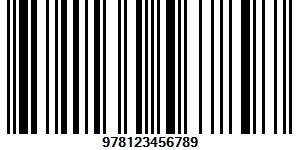
Why businesses use a barcode generator
Barcodes are a simple, reliable way to turn human-readable product information into machine-readable data. A barcode generator creates those codes so you can label products, track stock, automate checkouts, and capture data consistently. Used correctly, generators reduce manual entry errors, speed everyday processes and give you better visibility into movement across your store, warehouse, or supply chain.
What a barcode generator does (in plain terms)
A barcode generator is a software tool that converts text or numbers (SKU, serial number, URL, etc.) into a barcode image in a chosen symbology. Outputs are typically PNG, JPEG, PDF or SVG files, and many generators also support batch creation, ready-to-print labels, and integration with other systems.
Common barcode types you’ll encounter
- UPC / EAN: Standard retail barcodes for point-of-sale systems.
- Code 128: High-density linear barcode for logistics and internal tracking; supports letters and numbers.
- QR Code: 2D matrix ideal for URLs, product pages, and marketing that opens on smartphones.
- Data Matrix: Compact 2D code often used in manufacturing and electronics for small parts.
- GS1 barcodes: Standards used for global commerce and supply-chain interoperability.
How barcode generators work — step by step
- Input: Enter the data you want encoded — SKU, serial number, batch code, or a URL.
- Choose symbology: Select the barcode format that matches your use case and scanners.
- Generate: The tool converts your input into a pattern of bars or a 2D matrix and renders an image file.
- Export or print: Download the image, export in bulk, or send labels directly to a printer.
Generators range from simple web tools for single codes to full-featured applications that produce thousands of labels and integrate with inventory or ERP systems.
Key benefits for everyday operations
- Fewer data-entry errors: Scanning removes much of the human error associated with typing SKUs or serials.
- Faster transactions: Scanning is quicker than manual lookup — useful at checkout and when picking or shipping orders.
- Consistent labeling: A generator ensures every item of the same SKU carries the same encoded data and format.
- Improved traceability: With serials, batches or timestamps encoded, you can trace individual items throughout the supply chain.
- Scalability: Batch generation and print templates make it simple to scale labeling as your catalog grows.
How to choose the right barcode generator for your business
Not all generators are the same. Use these criteria to pick one that fits your needs:
1. Supported barcode types
Make sure the generator supports the symbologies your business requires: UPC/EAN for retail, Code 128 for warehouse operations, QR codes for customer-facing uses, and GS1 if you sell through channels that require GS1-compliant codes.
2. Integration capabilities
If you already use inventory, POS or ERP systems, choose a generator that can export or connect directly to them. Integrations remove manual steps, keeping data synchronized between systems and reducing mistakes. For example, pairing barcode generation with an ERP or inventory platform helps automate labeling and reporting across departments.
Read more about how modern business systems tie together in our ERP overview: ERP Software – Significant for Business Management Success.
3. Printing and label management
Consider whether the tool supports label templates, thermal printer drivers, and batch printing. Some solutions include WYSIWYG label editors; others export files you import into dedicated label-printing software.
4. Usability and volume
For low-volume needs, a cloud-based or free tool may be adequate. For hundreds or thousands of labels per week, look for features like bulk CSV import, automated naming, and scheduled generation.
5. Compliance and standards
If you sell through major retailers or across borders, ensure the generator can create standards-compliant barcodes (correct checksum, quiet zones, and dimensions). For regulated industries, verify any traceability or audit features you may require.
Practical tips for implementation
- Start with a small pilot: Test label design, scanning, and workflows on a subset of SKUs before rolling out site-wide.
- Standardize naming: Keep SKU and serial-number conventions consistent to avoid duplicates and confusion.
- Check print quality: Low-resolution printing, smudges, or poor contrasts can make otherwise-valid codes unreadable.
- Train staff: Make sure everyone who scans or prints understands the workflow and how to report unreadable codes.
- Store source data: Keep the original data that generated the barcode (CSV or database) for auditing and reprinting.
Adopting barcodes is often part of a broader technology push. If you’re planning wider digital change, resources on using technology to gain competitive advantage can be useful: Utilizing innovation to lift your business.
Common mistakes to avoid
- Choosing the wrong symbology for your scanners or retail partners.
- Printing at inappropriate sizes — too small or too large for the scanner and label area.
- Failing to validate codes after printing (scan-test every new label batch).
- Not planning for updates — if SKU formats change, ensure you can regenerate labels quickly.
Putting it all together — is a barcode generator right for you?
For most businesses that handle physical products, whether retail, distribution or manufacturing, a barcode generator is a low-cost tool that delivers measurable gains: fewer errors, faster processes, and better traceability. Choose a generator that supports the barcode types you need, integrates with your systems, and offers reliable print output. Start small, validate your setup, and expand once the process is proven.
Frequently asked questions
Do I need special hardware to use barcodes?
You need barcode-capable scanners (or smartphone apps for QR codes) and a printer suitable for your label material. Thermal label printers are common for durable, high-volume labeling.
Can I use a free barcode generator for business?
Yes — free tools are fine for low-volume or one-off needs. For integration, bulk printing, and compliance, paid or enterprise solutions provide the features businesses often need.
How do I ensure printed barcodes are scannable?
Use the recommended dimensions for your symbology, print at sufficient resolution, leave required quiet zones, and perform scan tests with the actual scanners used in your operations.
Implementing barcodes is a practical, low-friction way to improve everyday operations. With the right generator and a short rollout plan, you can reduce errors, speed workflows, and gain clearer visibility into your products and processes.